Project / Software
Lunar Sails Management Software
A private Windows desktop workspace for invite-only ticket and team operations.
- Year
- 2026
- Role
- Design and development
- Tools
- Next.js · TypeScript · React · Tailwind CSS · Electron · Supabase · PostgreSQL · Row Level Security
Overview
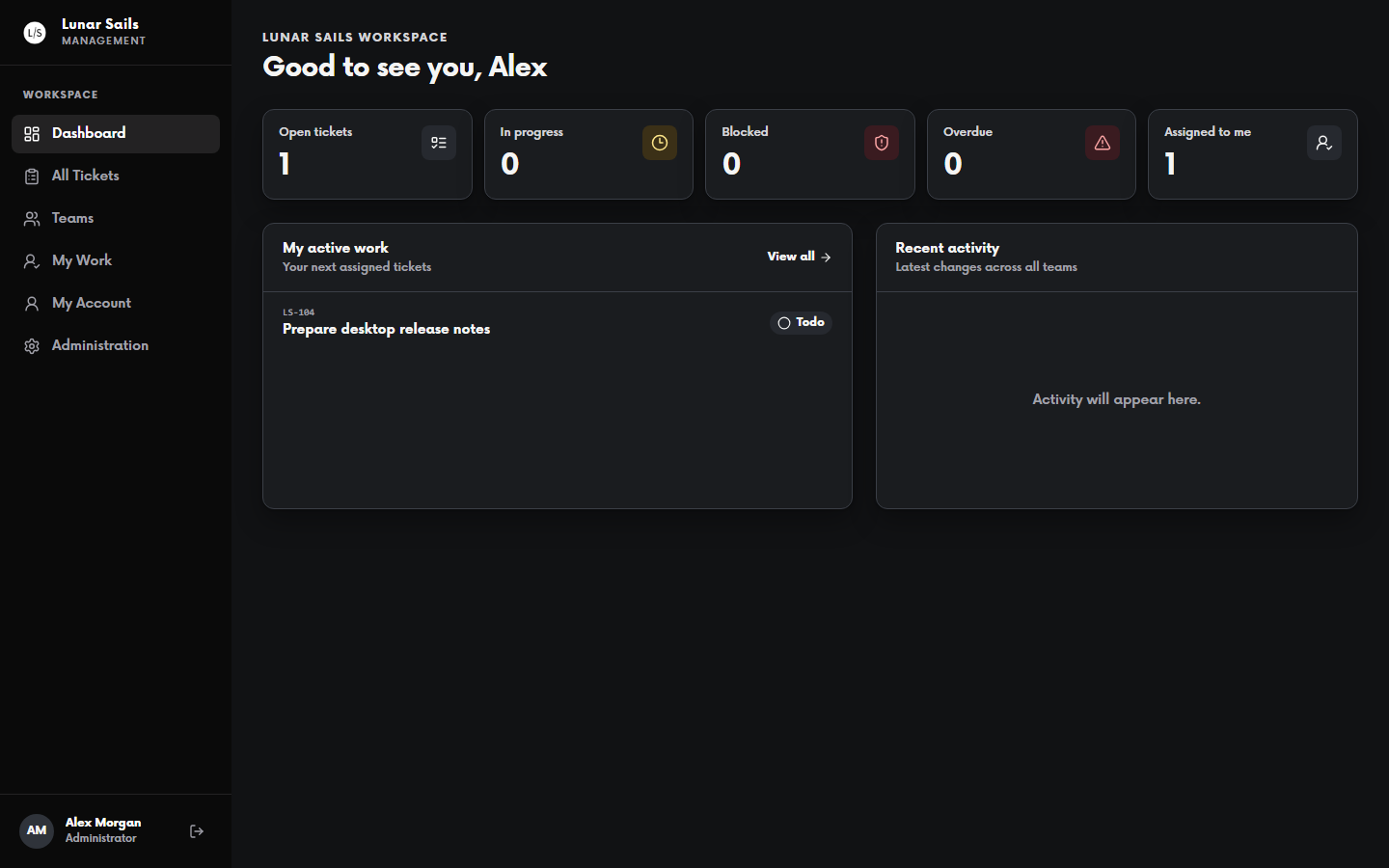
I built Lunar Sails Management Software as a private workspace for coordinating shared business and ticket work. The application is delivered as a Windows desktop app, with a web application running inside an Electron shell.
The project focuses on making everyday operations visible to the team while keeping access and data boundaries explicit. It is designed for an invite-only workspace rather than a public service.
What it does
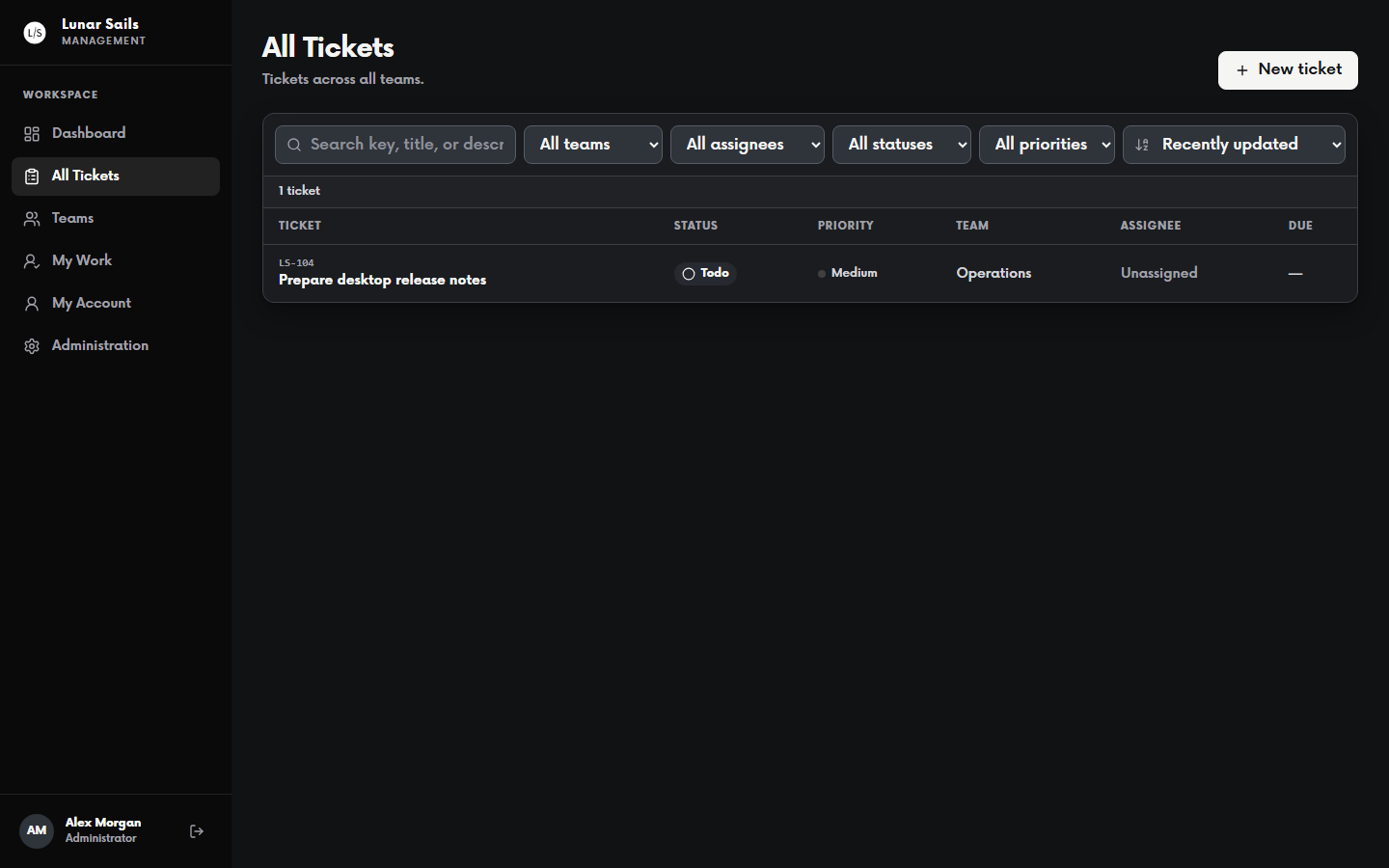
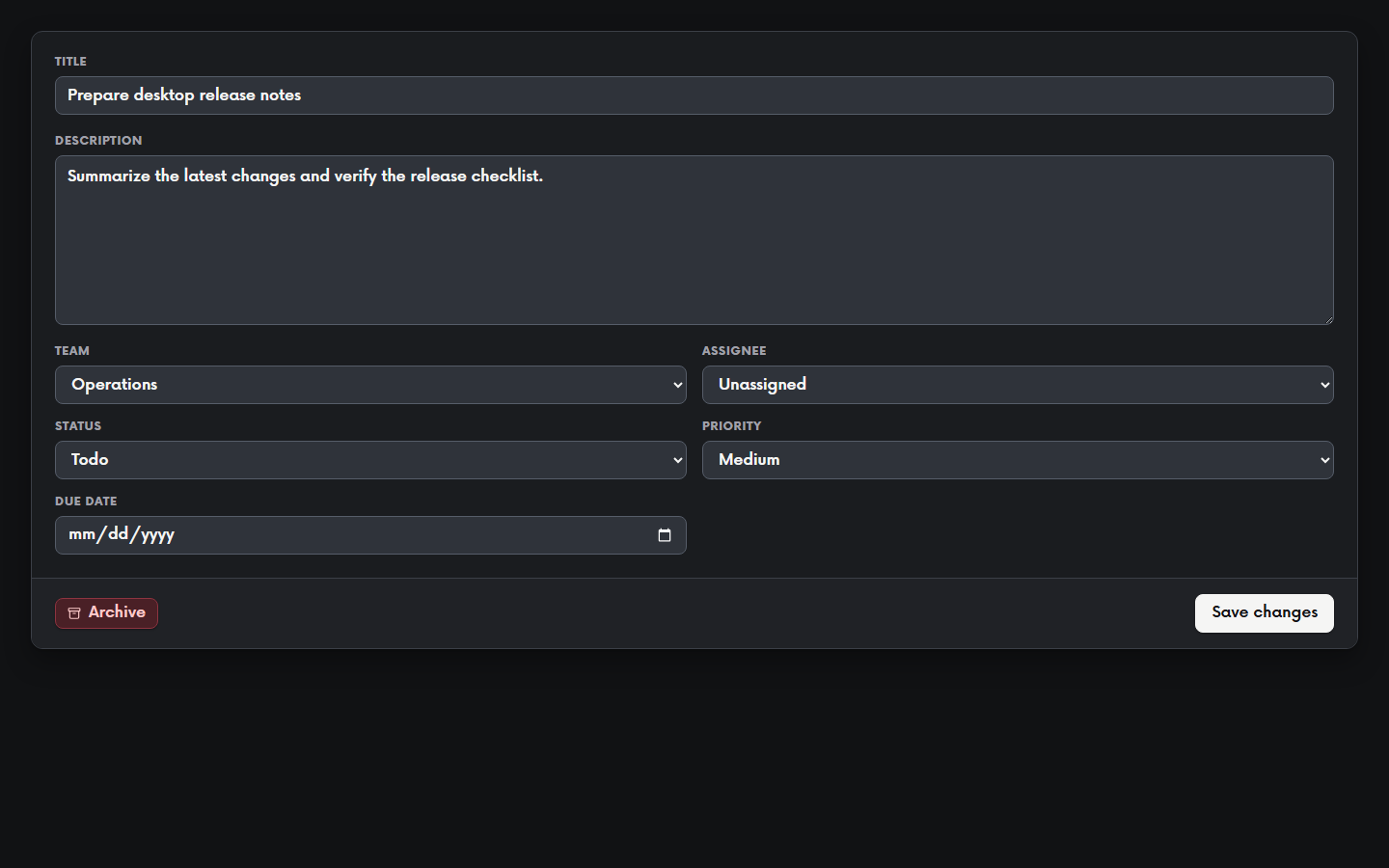
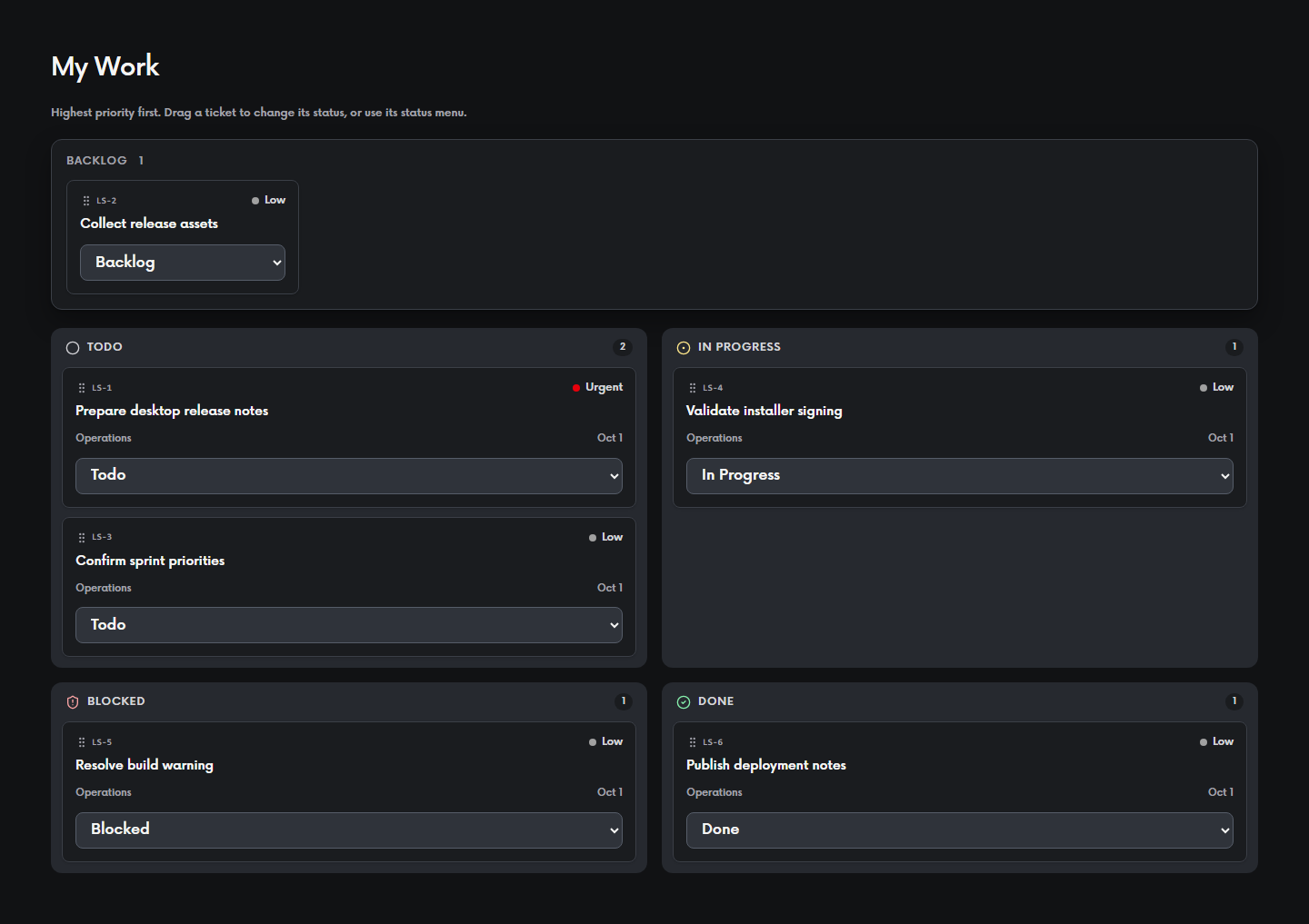
The workspace supports ticket creation, editing, assignment, status and priority tracking, due dates, team visibility, and archiving. The My Work board gives each person a focused view of assigned and relevant tickets.
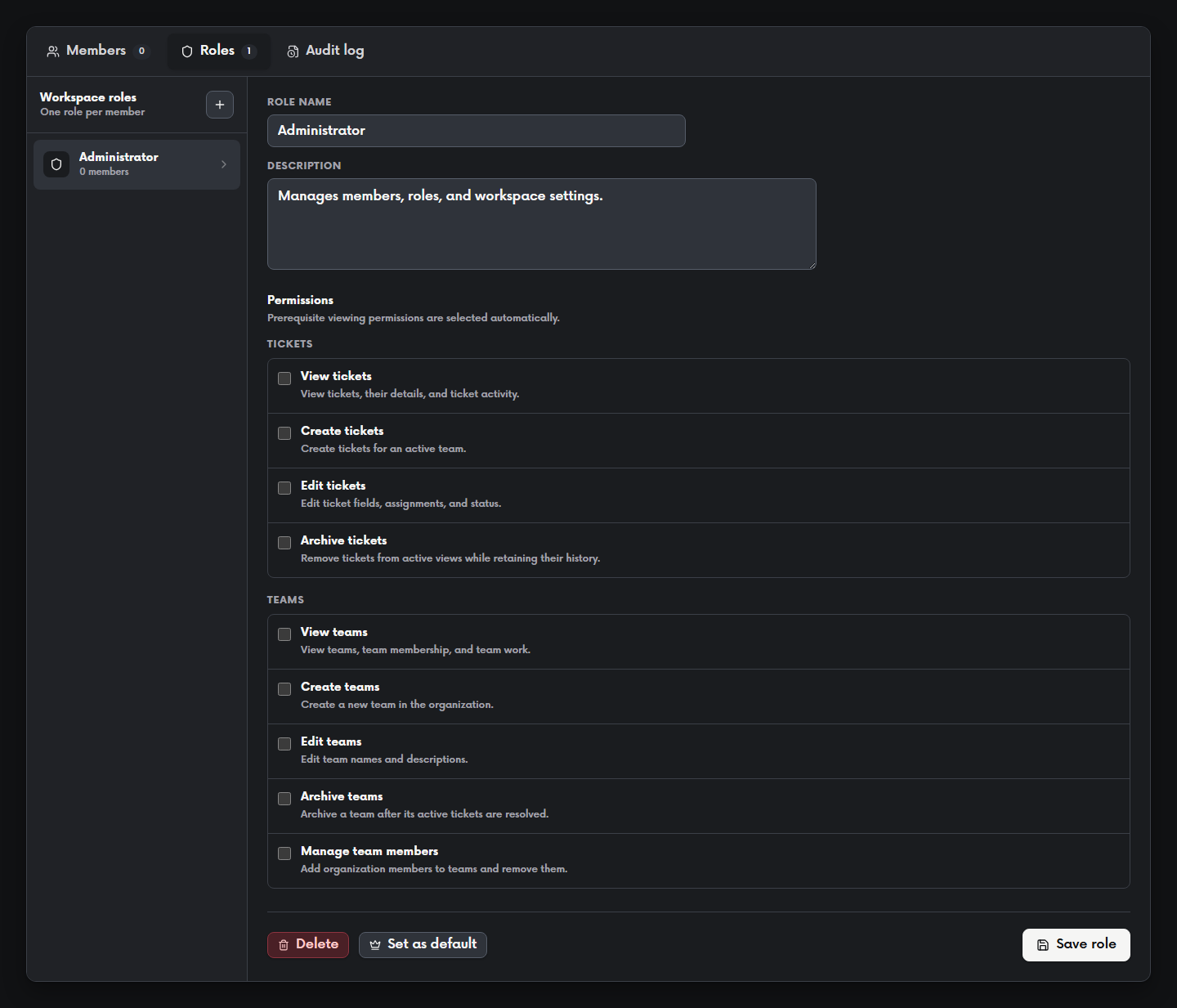
Administration views cover members, roles, permissions, and audit history, so ordinary team work and administrative work can remain distinct within the same workspace.
How it works
The application uses the Next.js App Router, strict TypeScript, React, and Tailwind CSS, packaged for Windows with Electron. Supabase Auth handles sessions and MFA, while PostgreSQL stores the workspace data.
Permission checks are represented in the application and enforced with Row Level Security and transactional database functions. Append-only operational and administration audit records preserve the history of important changes, and Supabase Realtime supports current workspace data where it is useful.
The desktop package contains only designated public runtime configuration. Secrets and service-role credentials remain outside the client, while private authenticated updates are checked against the signed-in session and current workspace access.
Features
Ticket and team workspace
The workspace brings ticket creation, editing, assignment, status and priority tracking, due dates, team visibility, and archiving into one place. The My Work board gives each person a focused view of assigned and relevant tickets, while the wider workspace keeps shared work visible to the team.
Personal work planning
The My Work board groups assigned tickets by status and keeps priority, team, due date, and status controls close to each item. This gives an individual contributor a focused operating view without hiding the shared workspace behind it.
Administration and audit history
Administration views provide a separate place to manage members, roles, and permissions and to review audit history. Append-only operational and administration audit records preserve the history of important changes without mixing that work into the day-to-day ticket view.
Invite-only access and MFA
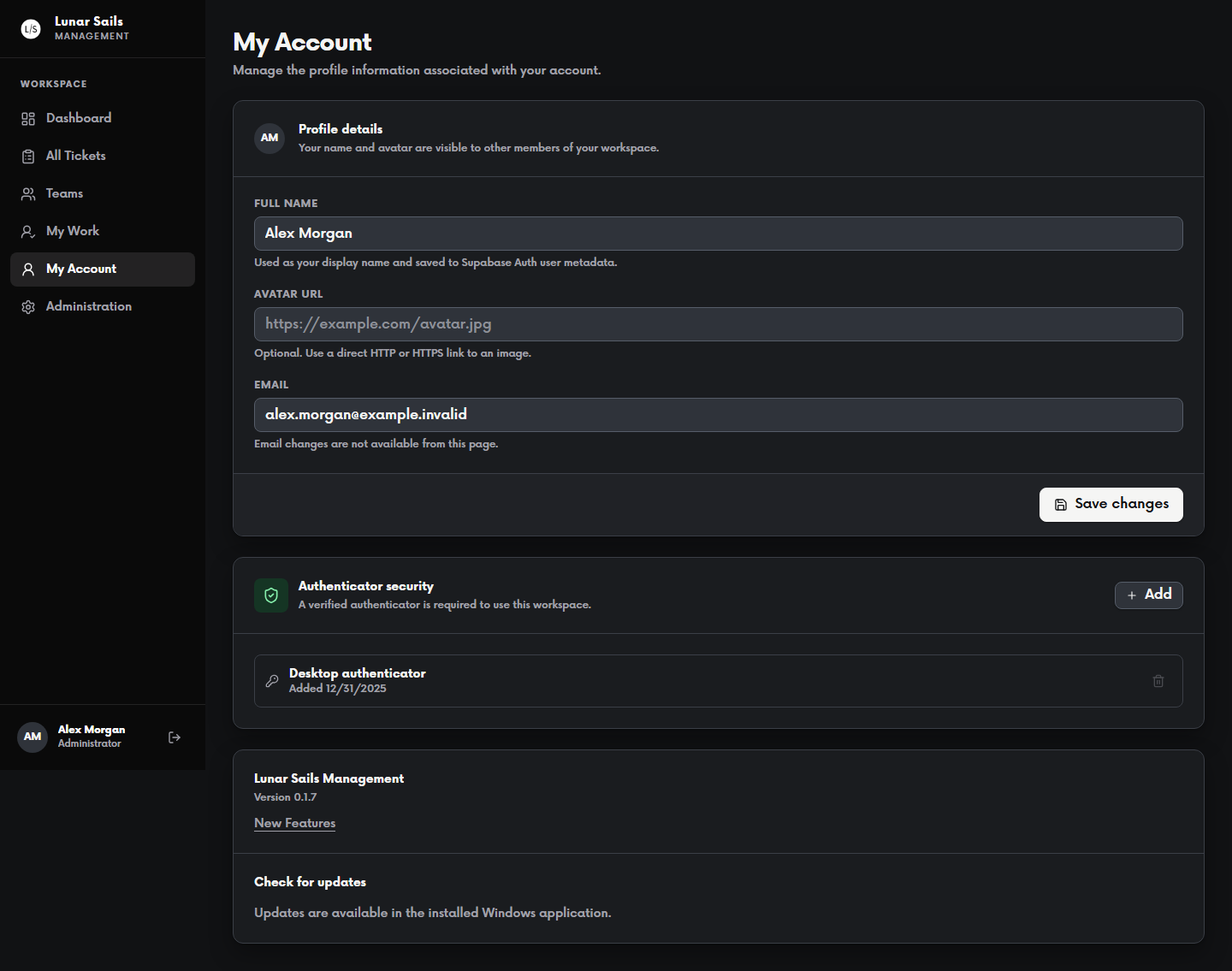
Access is invite-only. Workspace membership and role determine which parts of the application a person can use, and authenticator-app MFA is required for the protected workspace. Ticket and team actions are exposed through the authenticated application and its server-side boundaries, so interface visibility is not treated as the security control by itself.
Enforced permission and data boundaries
Roles and explicit permissions separate ordinary team work from administration. Permission checks are represented in the application and enforced with PostgreSQL Row Level Security and transactional database functions, which protects rows even when a request does not come through the intended UI.
Windows desktop delivery
The application is packaged for Windows with Electron, with the web application running inside the desktop shell. The project includes local checks for the permission model, MFA flows, audit behavior, and desktop packaging and update paths. Authenticated private update delivery is implemented as part of that release design.