Project / Software
Log Search Tool
A portable native Windows utility for searching large line-oriented logs with bounded, reviewable investigation workflows.
- Year
- 2026
- Role
- Design and development
- Tools
- C++17 · Win32 · CMake · Windows memory mapping
Overview
I built Log Search Tool independently for use in my work at Omnicell, where searching large cabinet logs is a routine part of troubleshooting. It started as a practical way to save time for me and the other engineers I work with; it was not commissioned by Omnicell or assigned to me as part of my role.
Keeping the tool indexless and databaseless was a deliberate choice. Logs can contain protected health information (PHI) and other sensitive client data, so the application searches the original files read-only without modifying them or creating a second searchable store of their contents. This keeps the workflow focused on the files already present at the site and reduces unnecessary copies of sensitive information.
What it does
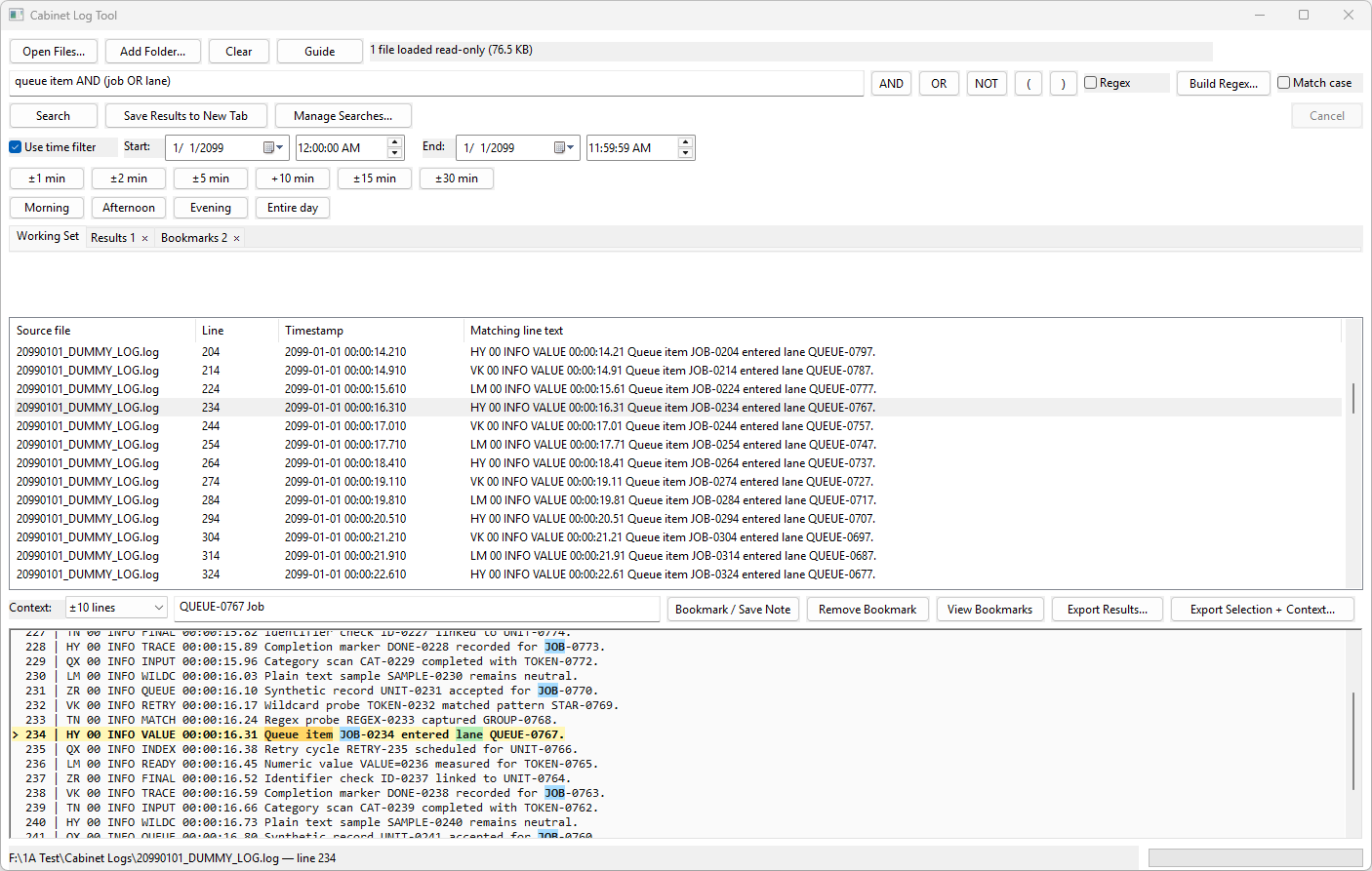
The tool gives engineers one place to search individual log files or entire folders, inspect surrounding lines, narrow results by time, and organize useful findings during an investigation. It supports quick literal searches, more specific Boolean queries, and regular expressions for patterns that vary between entries.
It is intended for both one-time troubleshooting and repeatable workflows. Engineers can save useful searches, keep separate groups of results open, annotate important entries, and share common search criteria with one another.
How it works
The application uses the standard Windows virtual-memory paging workflow. It opens each source log read-only and memory-maps it, allowing Windows to bring the needed pages into memory as the search moves through the file instead of requiring the program to build an index or load the entire log into application-managed RAM.
That approach lets the tool work through gigabytes of logs on slower systems that do not have the CPU or memory for heavier indexing or full in-memory search tools. Searches still depend on the speed of the underlying storage, but they do not require an expensive preparation step or a permanent data store.
The application runs where the logs already reside. It operates entirely from its packaged .exe, with no installer, service, database, or separate runtime to set up on the system.
Features
Literal, Boolean, and regex search
Literal searches handle quick lookups, while Boolean expressions using AND, OR, NOT, and parentheses make it possible to combine or exclude related conditions. ECMAScript regular expressions support more variable patterns, and optional time filters narrow results when timestamps can be recognized. All searches remain line-oriented so the results map directly back to the original logs.

Guided Regex Builder
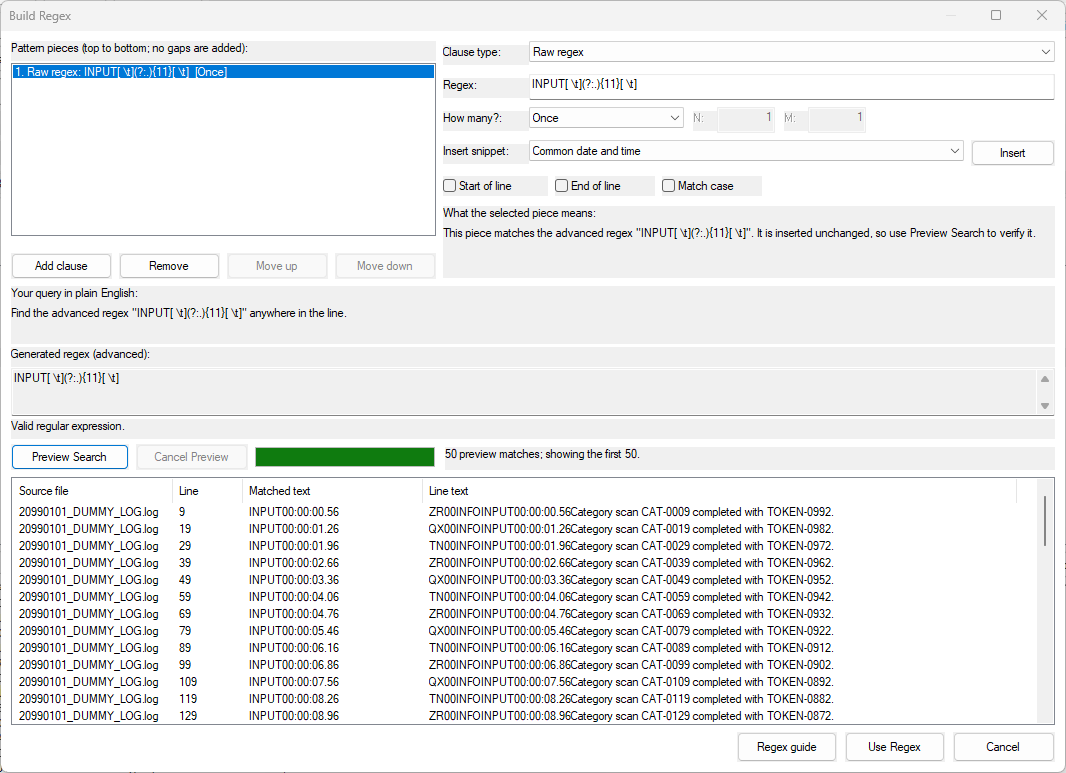
The Regex Builder lets engineers create useful expressions without having to memorize regular-expression syntax. Patterns are assembled from guided pieces such as literal text, digits, letters, whitespace, alternatives, and repetition rules. The builder escapes ordinary text, explains the finished pattern in plain language, validates it, and can preview matches against the currently loaded logs before the expression is used in the main search.
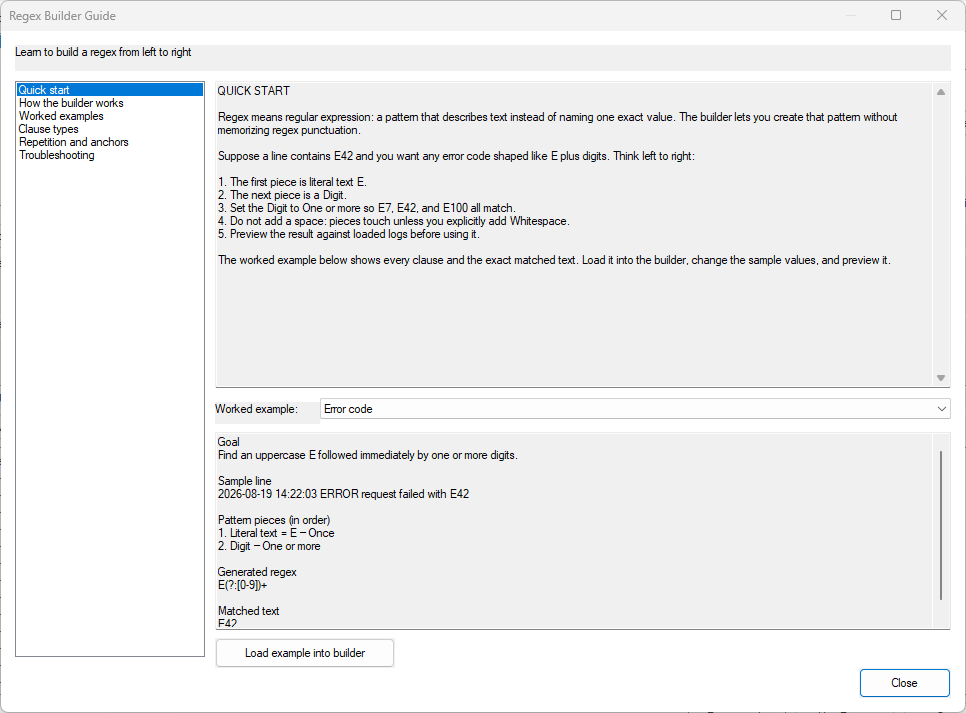
The builder also includes its own Regex Guide with concepts, troubleshooting help, and worked examples that can be loaded directly into the builder and adapted to the current investigation.
Investigation workspace
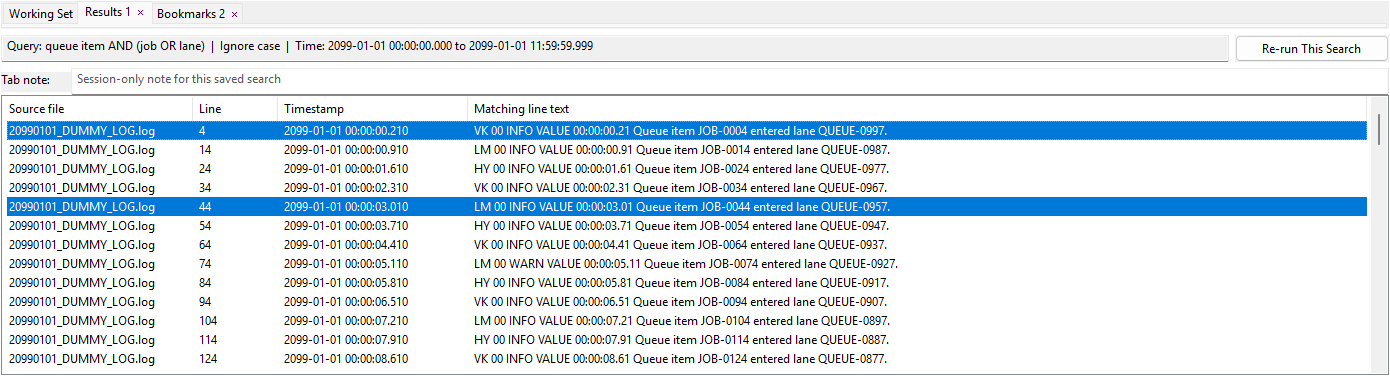
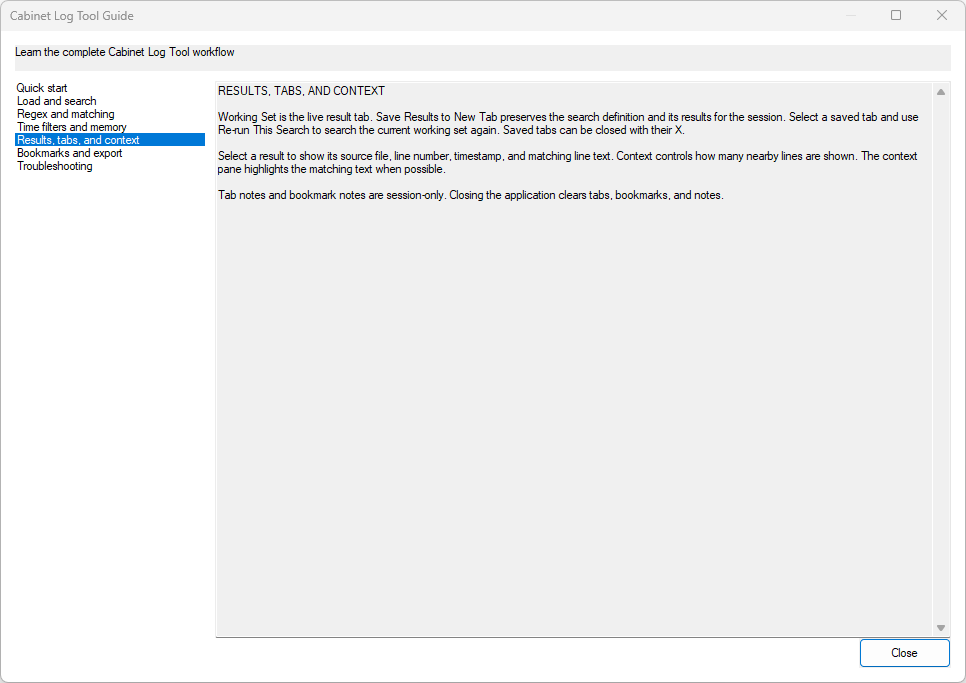
Selecting a result shows its source file, line number, timestamp when available, and nearby lines in a context pane. Results can be preserved in separate tabs along with the search that produced them, then rerun against the current working set. Bookmarks and notes make it easier to hold onto important entries without changing the source logs. This working information stays in memory for the current session.

Shared search definitions
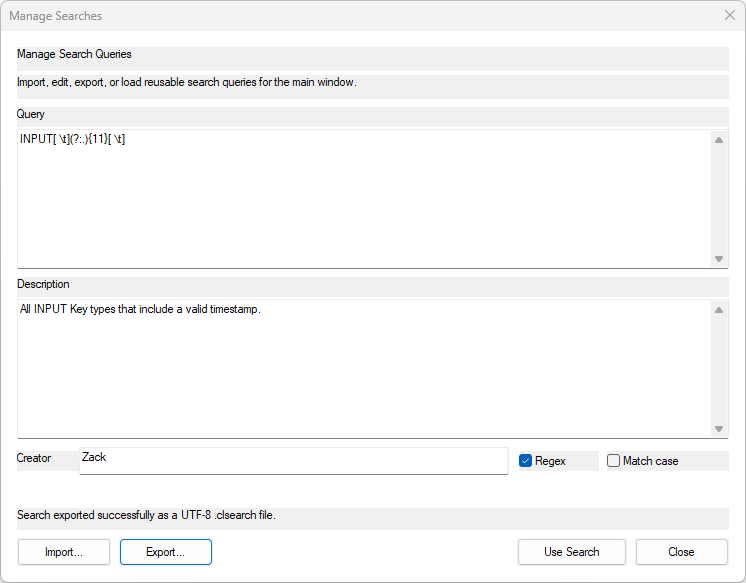
Reusable .clsearch definitions let engineers collaborate by sharing search criteria they use often. The custom file type is a small, structured text document similar in purpose to a JSON file. It keeps the query, its options, and a description together, so another engineer can understand what the search is for instead of receiving an unexplained string of terms. Definitions can be imported, reviewed, edited, loaded, and exported.
Built-in application guide
The main application includes a complete Guide that stays with the portable executable. It covers loading and searching logs, matching behavior, time filters, results and context, tabs, bookmarks, exports, and common troubleshooting. Keeping that information inside the program means an engineer can learn or reference the full workflow even on a system with limited or no network access.
Portable, low-footprint operation
I chose native C++17 and Win32 to keep the dependency and software-licensing footprint straightforward in a company environment. The result is a small standalone utility that remains responsive on old server hardware and is compact enough to transfer to a site even when the available connection is slow.
The privacy model follows the same portable approach: bring the utility to the logs and keep the logs where they are. Source files are opened read-only and are not modified, indexed, uploaded, or automatically exported. The tool has no database, background service, or telemetry, and it leaves no application data behind unless the user deliberately saves a .clsearch definition or exports selected results. Those files can contain sensitive information and are handled with the same care as the original logs.