Project / Software
Job Application Tracker
A local-first Windows desktop workspace for organizing applications, career evidence, recruiter messages, resumes, and follow-ups.
- Year
- 2026
- Role
- Design and development
- Tools
- Electron · React · Express · SQLite · TypeScript
Overview
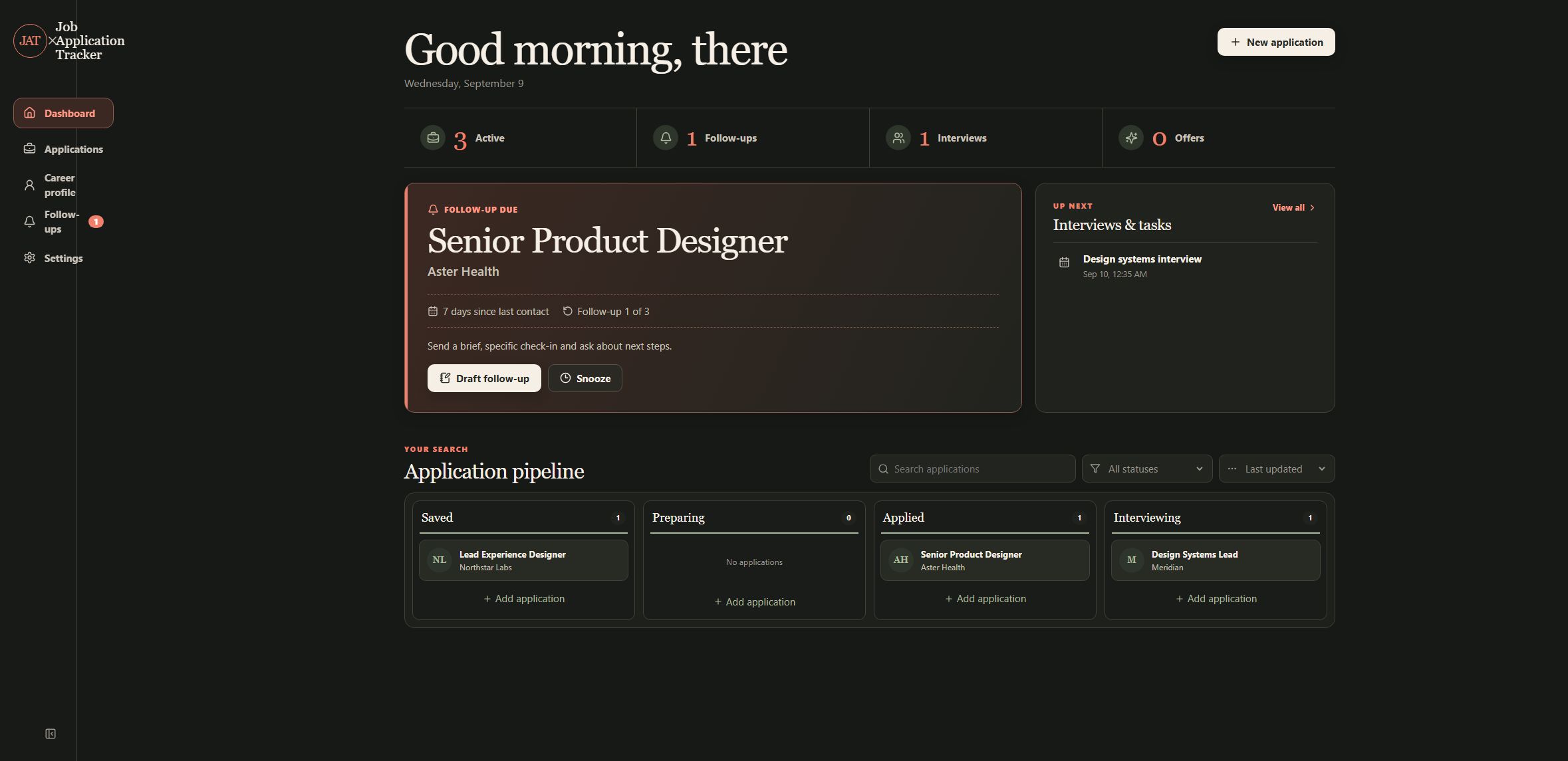
I built Job Application Tracker as a private Windows desktop workspace for keeping a job search in one place. It brings application records, career evidence, imported postings, recruiter messages, resume versions, contacts, and follow-up work into a single local tool.
The application is designed to help prepare and review work, not to apply for jobs automatically. The screenshots use removable fictional demo data so the workflow can be shown without exposing a live application database.
What it does
A job search can spread details across browser tabs, documents, email drafts, and reminders. This workspace keeps the record of what was found, what was sent, and what still needs attention together, while retaining earlier drafts instead of silently replacing them.
The result is a private operating view of an application process: research can be captured, materials can be tailored against supplied evidence, and interactions can be followed through a timeline.
How it works
Electron hosts the desktop window and React/Vite renders the interface. A loopback Express API handles application operations, while SQLite stores structured records and FTS5 full-text search data. Imported documents remain local with database references to the records that use them.
Drafting works with a built-in offline provider, or with an explicitly configured OpenAI, Ollama, or compatible endpoint. The desktop app controls when selected job or career content is sent to an external provider.
Features
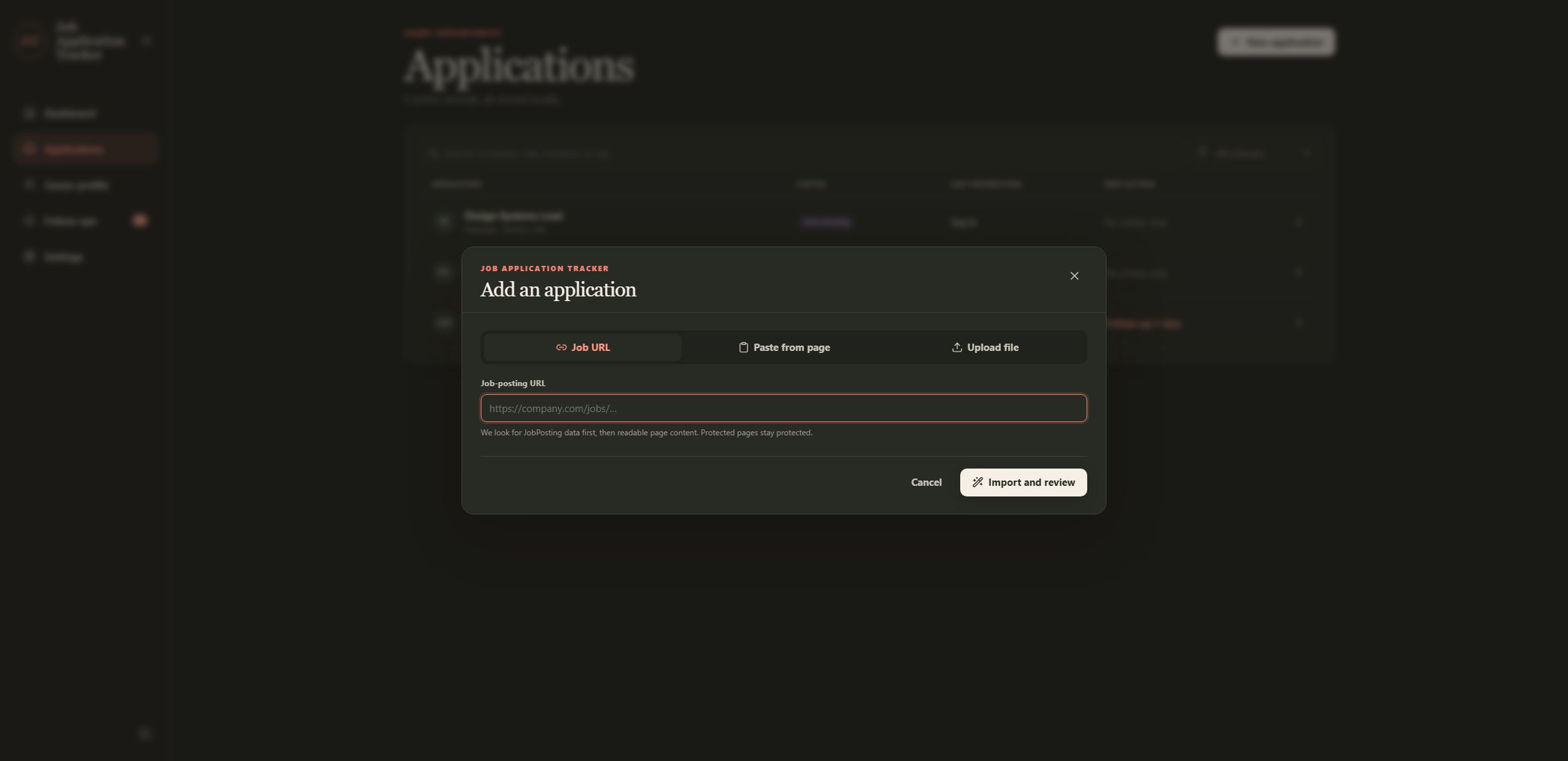
Capture a posting, then review it before saving
New applications can start from a public job URL, pasted page content, or an uploaded DOCX, PDF, or text file up to 8 MB. Public pages are read through readable text and JSON-LD when available. A dedicated Electron LinkedIn browser provides the supported path for explicit LinkedIn capture, while other protected sites can fall back to paste or upload.
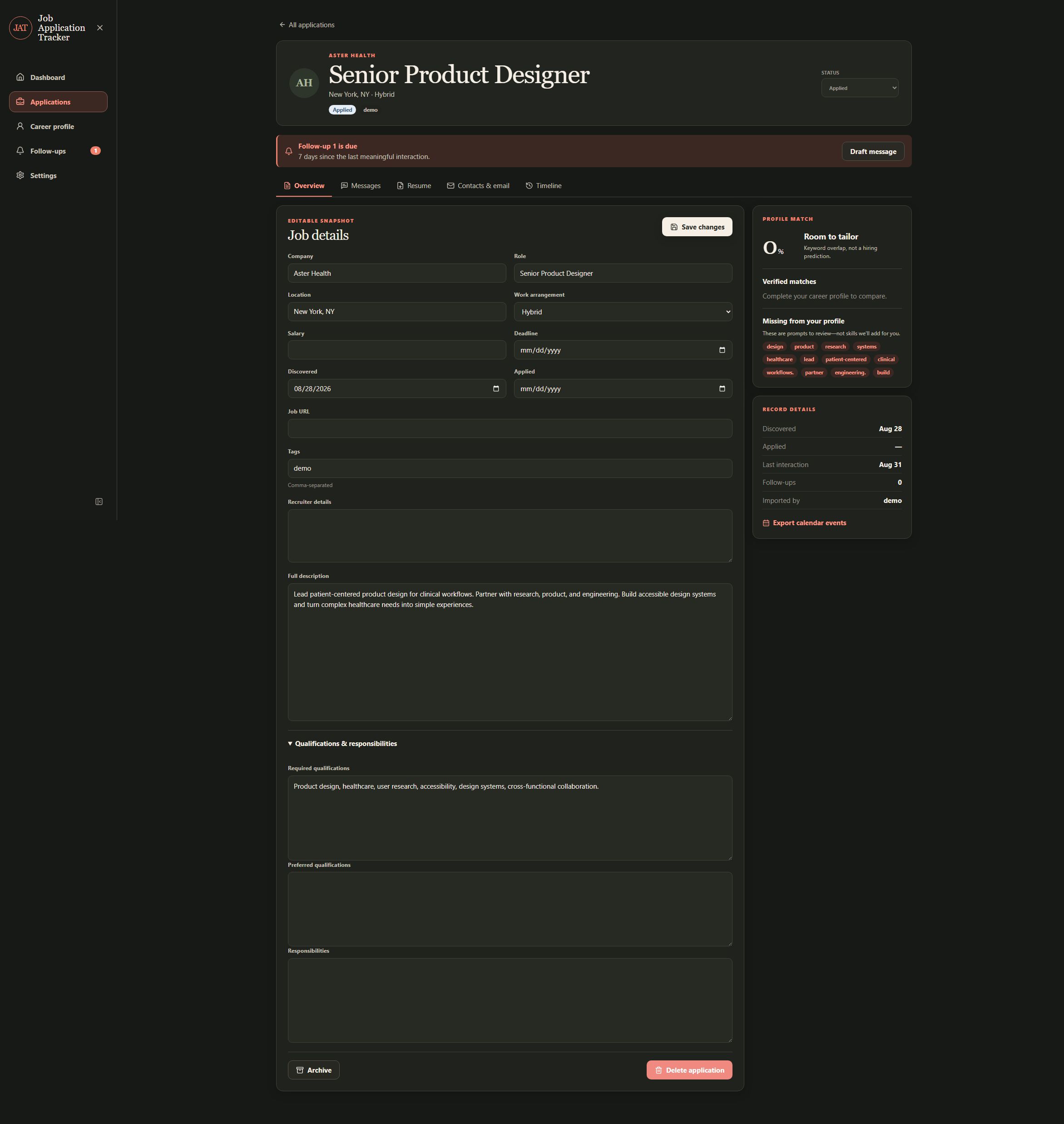
The review step exposes the company, role, location, work arrangement, salary, description, qualifications, responsibilities, recruiter details, and tags before a record is created. Duplicate warnings help avoid making a second record for the same opportunity.
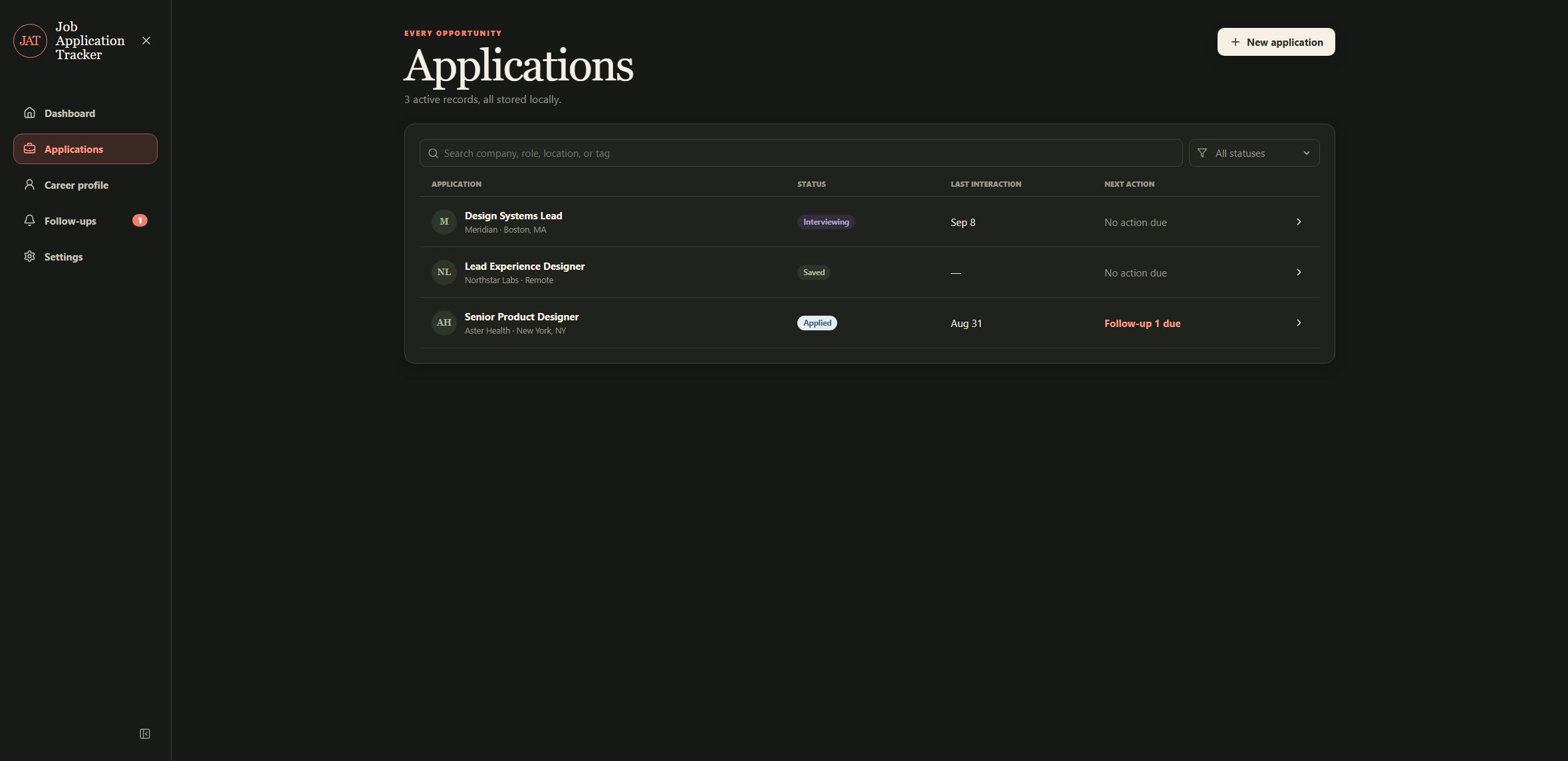
Searchable application records and a working pipeline
The dashboard and Applications view show the current pipeline from saved research through preparation, application, and interviews. Records can be searched by company, role, location, or tag, then filtered and sorted by status or interaction. Applications can be edited, archived, reopened, or deleted, with follow-ups and activity kept alongside the record.
A career profile that acts as source material
The Career Profile is the source of truth for the work used in tailored materials. It supports importing a resume or other document, optional structuring, and editing repeatable work history, education, certifications, projects, skills, identity details, and job-search preferences. Each application can then use that profile as an explicit input rather than relying on an untracked copy of a resume.
Versioned recruiter messages
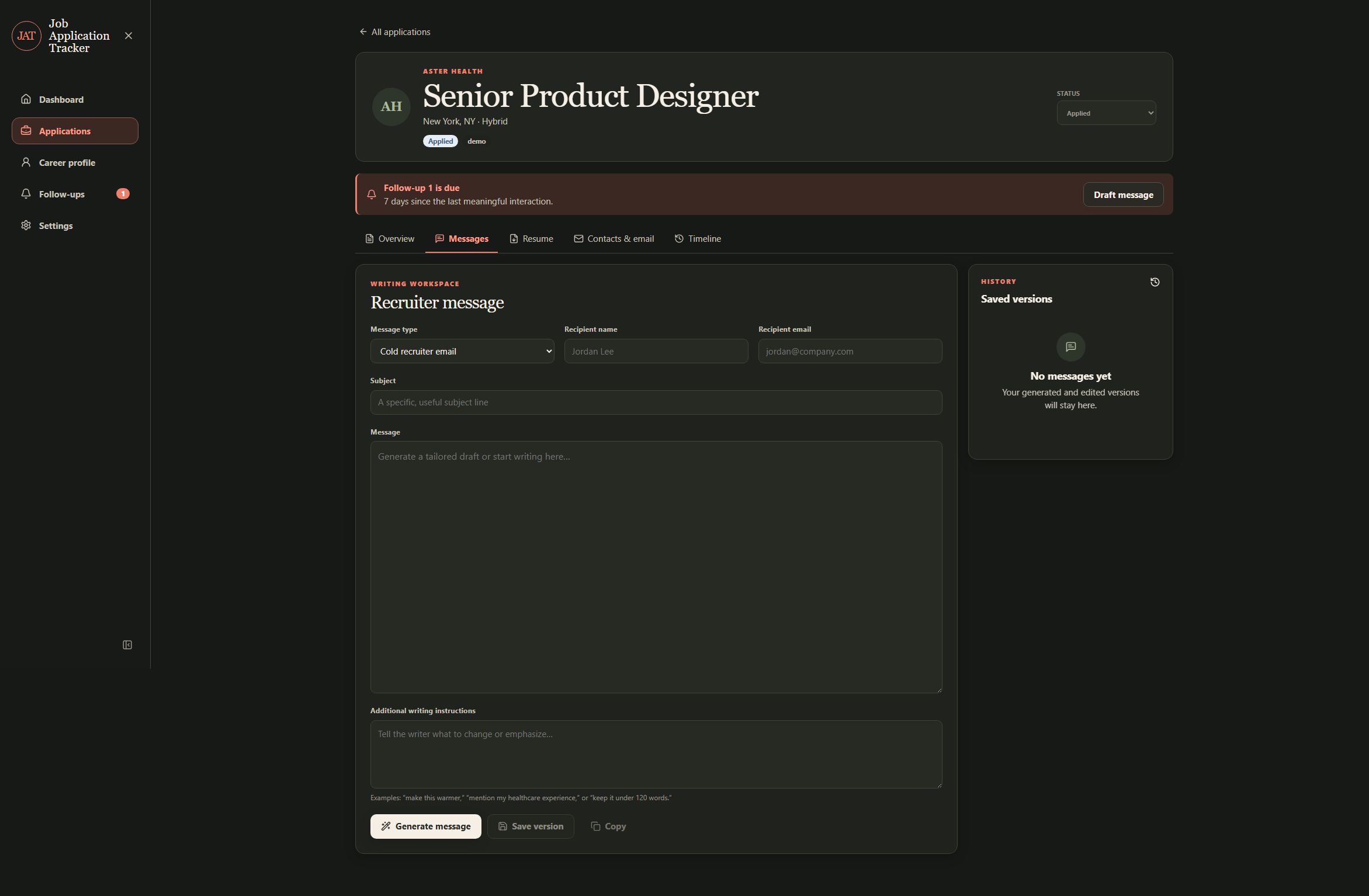
The Messages tab supports seven message types: cold recruiter outreach, an application follow-up, a LinkedIn connection note, a LinkedIn direct message, a thank-you note, an interview follow-up, and a status check. A draft can be generated or regenerated with recipient details and instructions, edited, saved as a version, copied, or opened in a mail app. Earlier versions can be loaded or removed, and the source material remains visible for review.
The app does not send messages or synchronize an inbox. Compose links are a handoff to the user’s mail application, not a mailbox integration.
Source-grounded resume packages
Resume work can be generated section by section or as a full package, then edited in an ATS-oriented preview. Summary, skills, experience, education, certifications, and projects can be handled independently. Selected sections, version history, deterministic DOCX output, and rename or delete controls make it possible to compare a tailored version with earlier work.
The claim review shows proposed unsupported claims alongside the reason they were blocked and the source used for comparison. Verified content is retained in the exported document, while unsupported additions are left for the user to revise. Skills use exact source matching where possible. This is a guardrail for review, not a promise that automated verification understands every nuanced paraphrase.
Contacts, notes, interviews, and timeline history
Application records have tabs for overview, messages, resume, contacts and email, and timeline. Contacts can be entered manually with notes, phone, email, and LinkedIn fields. Email can be entered manually or imported from an .eml file and kept with linked interactions. Tasks, interviews, reminders, and email compose links can be added and completed or reopened. The timeline records the activity that moves an application through its process.
Follow-up rules and a focused queue
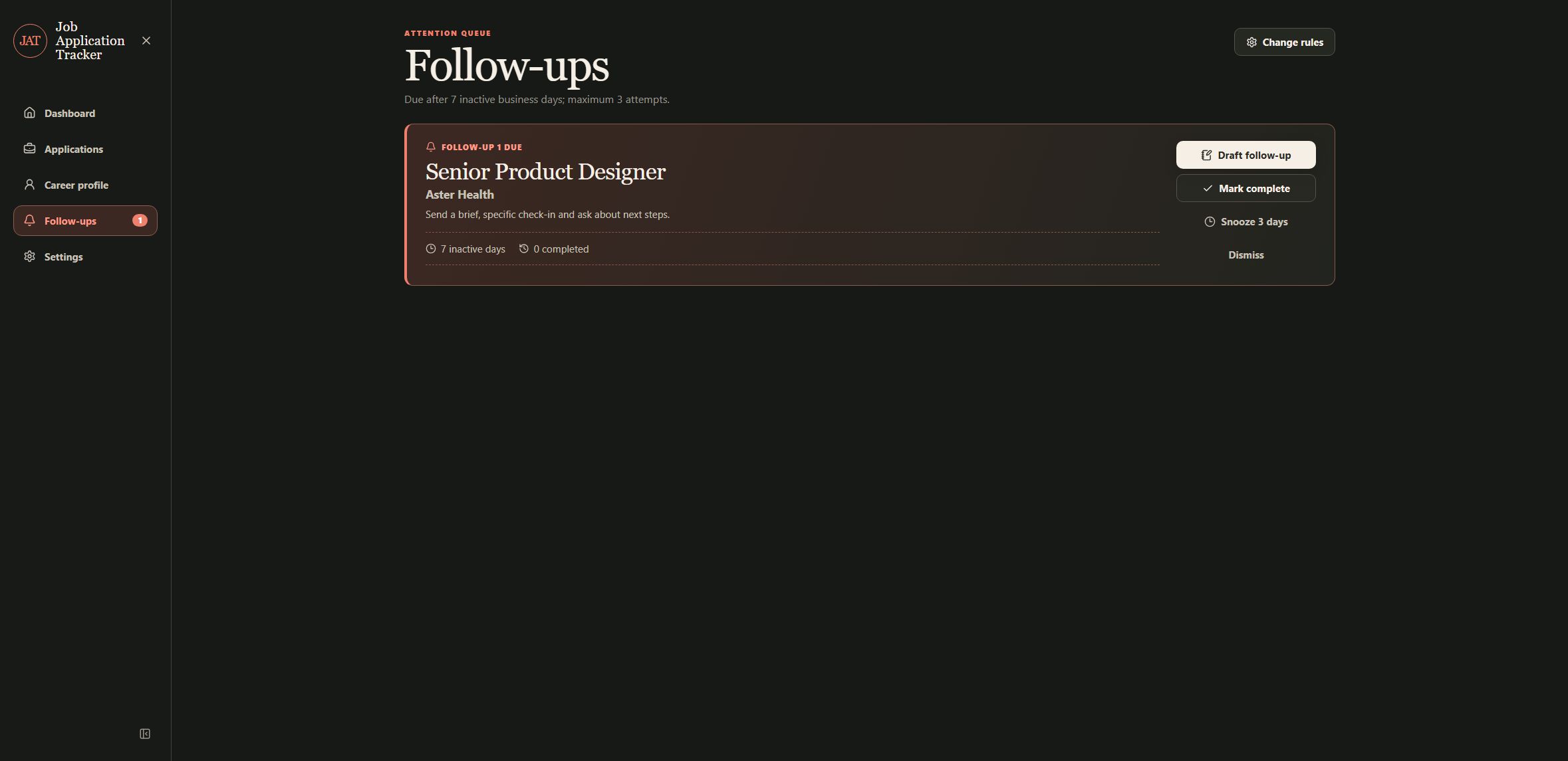
Follow-up rules can account for application status, interaction age, weekends, and suppressed states. The queue shows due and inactive work, along with completed items and attempt counts. A follow-up can be drafted, completed, snoozed for three days, dismissed for thirty days, or archived when the record no longer needs attention.
Local backups, exports, and provider boundaries
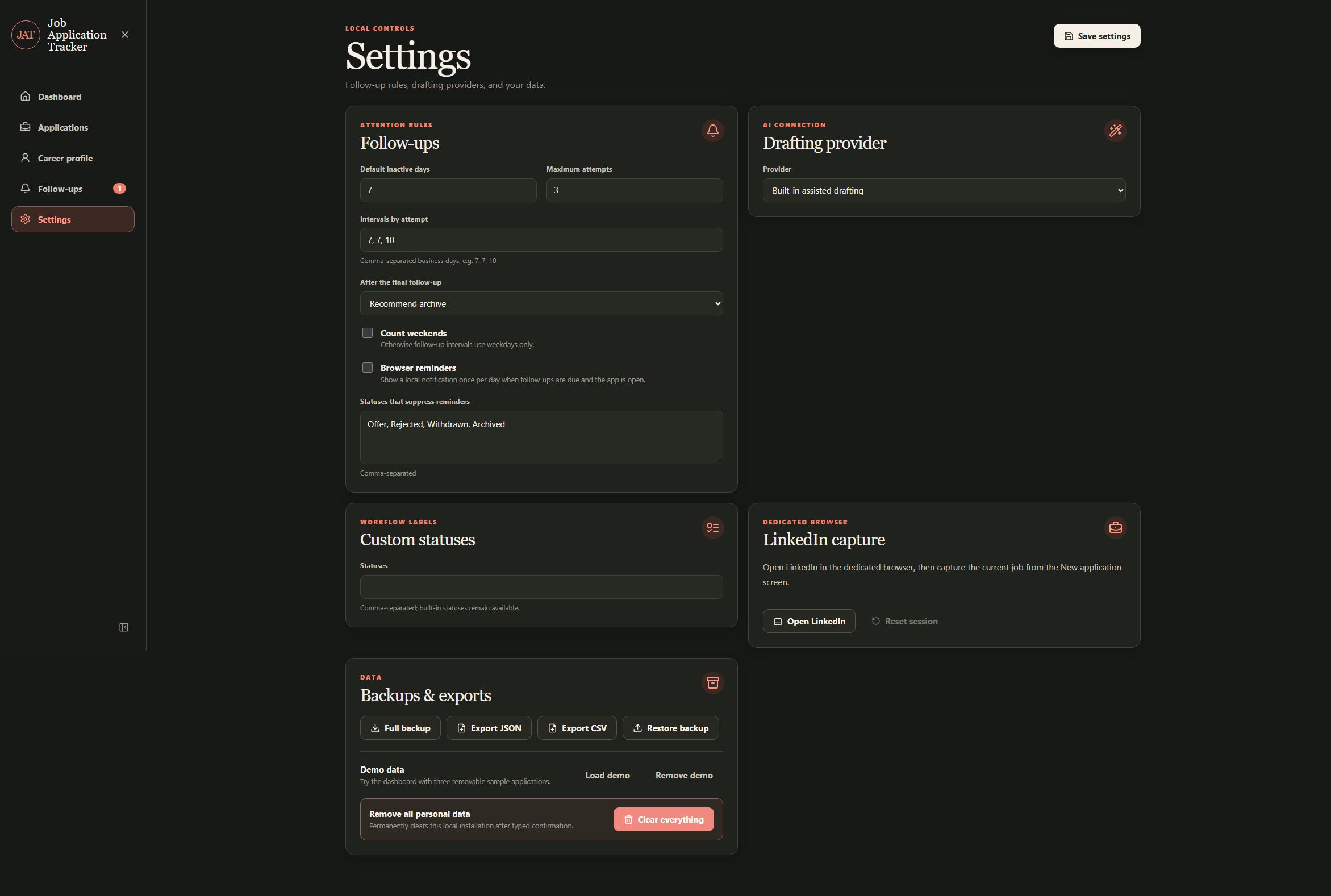
Settings includes full backups, JSON and CSV exports, restore, removable demo data, and a typed clear-all action. The built-in drafting provider can run without a remote service. OpenAI, Ollama, and compatible providers are opt-in, with endpoint, model, temperature, connection testing, and key removal controls.
Only stored provider keys receive separate AES-256-GCM encryption, and keys are excluded from settings and backup exports. The SQLite database and local documents are not fully encrypted, so the Windows account and its ordinary device and backup protections remain the trust boundary.
Desktop-specific capture and practical limits
The persistent LinkedIn browser is isolated inside the desktop app and can be reset from Settings. Capture is an explicit user action, not login automation. The app does not submit applications, bypass CAPTCHAs, send email, sync a mailbox, reconcile multiple users, or resolve network conflicts. PDFs do not receive OCR, and calendar exports or Google and Outlook links do not sync changes back into the tracker.
The current package is not code-signed and has no automatic updater. It is a single-user local application rather than a hosted service, and every generated resume or message still needs a human review before it is used.