Project / Software
3D Texture Tool
An offline Windows desktop tool for generating tileable textures, packing material channels, and processing texture batches.
- Year
- 2026
- Role
- Design and development
- Tools
- Electron · React · Python · NumPy · Pillow
Overview
I built 3D Texture Tool as an offline Windows desktop application for preparing images used in 3D materials and game assets. It brings three related jobs into one workspace: making textures tile cleanly, compressing texture batches, and packing grayscale material maps into an ARMD texture.
The application works with files on the local machine and does not require an account or hosted processing service. Each module keeps the source, settings, current state, and output controls visible so the result can be reviewed before it moves into a larger asset pipeline.
What it does
Texture preparation often involves the same small but careful operations across many files. A visible queue and repeatable settings reduce that manual work, while previews make it easier to catch a bad seam, incorrect map classification, or channel assignment before exporting.
The modules are separate on purpose. The compressor can work through a folder tree, the ARMD packer deals with a defined four-channel convention, and the seamless generator provides the visual comparison tools needed for more subjective image work.
How it works
Electron hosts a React interface and exposes a narrow preload API for file selection, worker commands, progress events, and verified output access. The window is sandboxed with context isolation enabled, Node integration disabled, and unrequested navigation and new windows blocked.
A packaged Python worker performs the image operations with NumPy and Pillow. Work stays off the renderer thread, and structured events report queued files, active processing, completion, cancellation, and errors. Processing is CPU-only and the current application targets Windows.
Features
Multiple seamless-generation methods
The seamless generator can load several images into one session and process them with a shared method or an override for one texture. Available methods include a pass-through comparison, adaptive hybrid processing, offset blending, edge feathering, mirrored edges, four-way mirroring, crossfade wrapping, patch quilting, periodic Poisson correction, and Laplacian multiband blending.
Adaptive Hybrid is the starting method, but it is not treated as a guaranteed answer. Automatic generation can refresh affected textures as settings change, or it can be paused so the selected texture or the entire batch is generated manually. Per-texture revisions and source fingerprints keep an older asynchronous result from replacing a newer request.
No seamless method can make every source image repeat cleanly. Large directional features, lighting gradients, perspective, and detail that crosses an edge can still require a different method or manual image editing.
Normal and repeated-tile previews
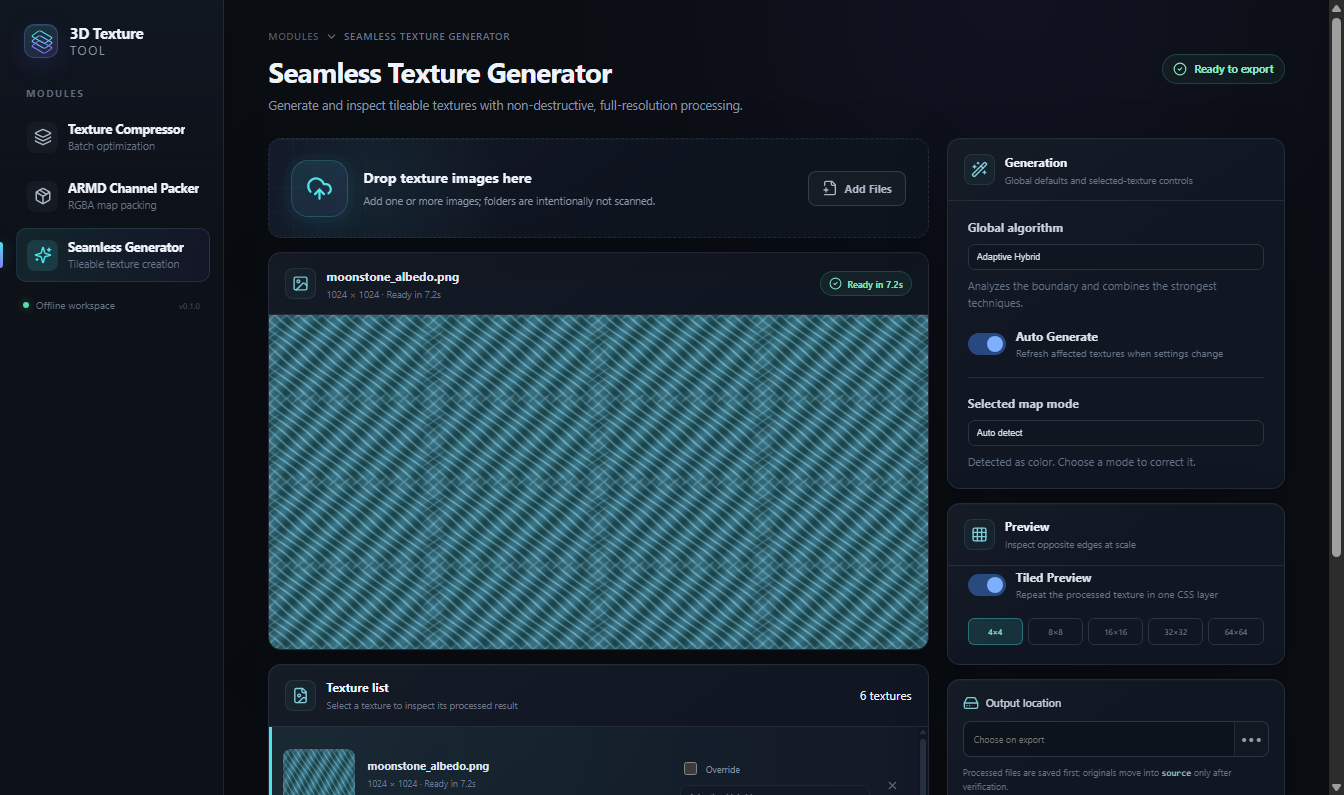
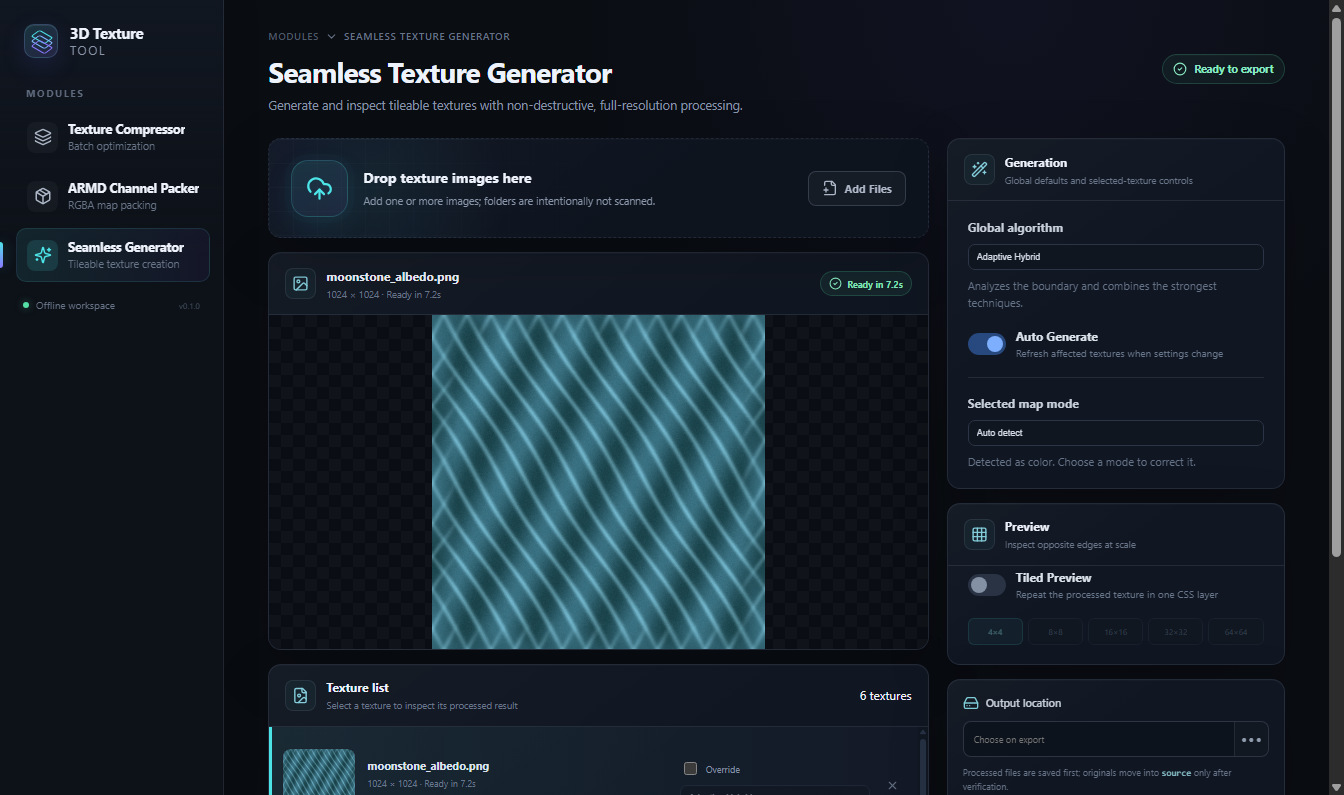
The selected texture is shown at its processed resolution in a large preview. A tiled view can repeat that result in a 4 by 4, 8 by 8, 16 by 16, 32 by 32, or 64 by 64 grid, which makes subtle repetition and opposite-edge problems easier to see. The texture list keeps thumbnails, dimensions, generation state, selected method, and any error beside each source.
If a setting changes while the previous image is still visible, the preview is marked as stale until the new result is ready. Skipped or unreadable inputs, generation failures, and source-move problems are shown independently instead of being collapsed into a single batch message.
Map-aware seamless processing
Each image can be treated as color, a normal map, or channel data. Color textures are blended in linear light, normal vectors are renormalized after processing, and data maps are handled channel by channel so their stored values are not interpreted as display color. Automatic classification is available, with a visible manual override when the heuristic gets the map type wrong.
The map-aware behavior belongs to the seamless generator. Regular compression is not semantic-aware, so it does not apply the same color, normal, and data-specific rules.
Folder-scale texture compression
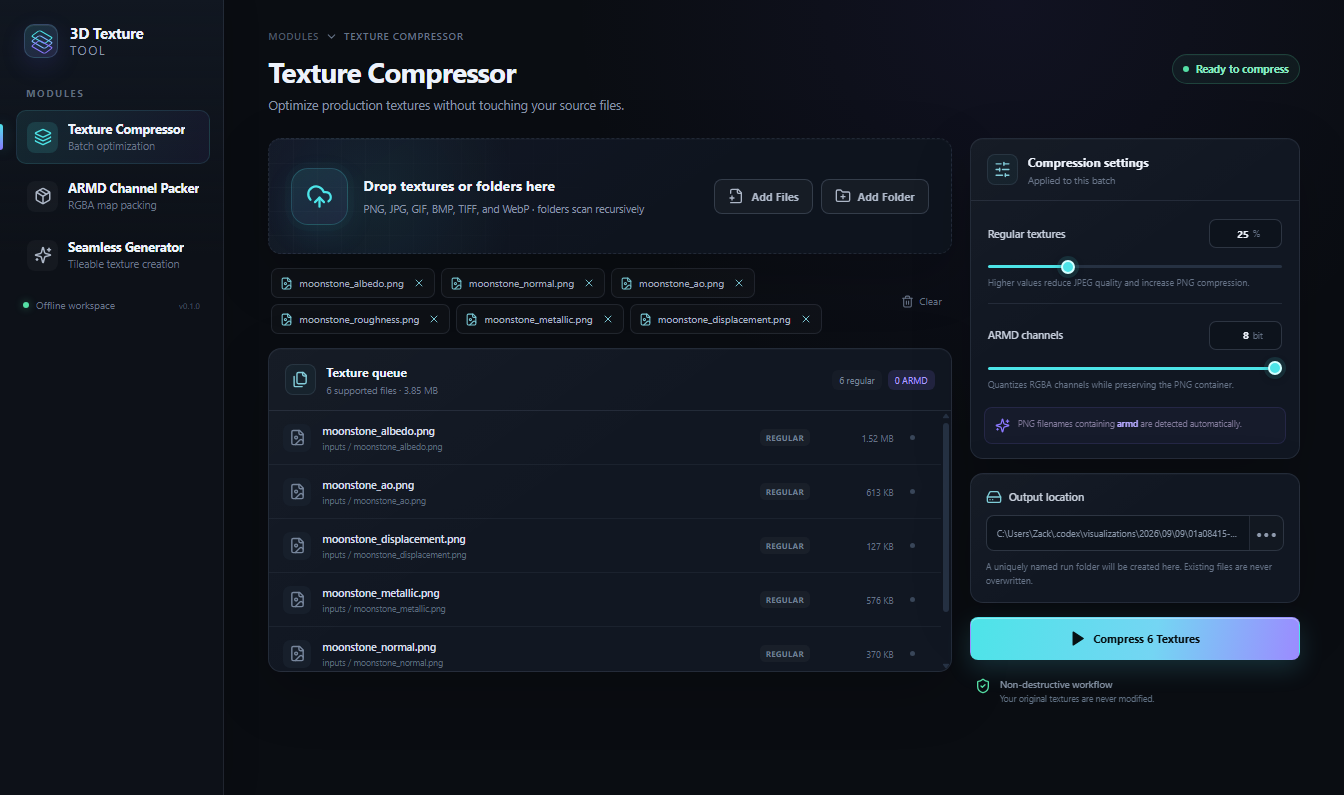
The compressor accepts individual images, dropped items, or folders that are scanned recursively. It builds a deduplicated queue with each file’s relative path, type, size, and processing state, then writes a distinct output run while preserving the source folder structure. PNG, JPG, GIF, BMP, TIFF, and WebP files are accepted, but animated frames are not preserved.
Regular textures have a compression control from 0 to 95 percent. PNG files whose names contain armd are detected as packed channel textures and kept as RGBA PNG files with a selectable channel depth from 1 to 8 bits. That ARMD detection is filename-based, not an inspection of the material data inside the image.
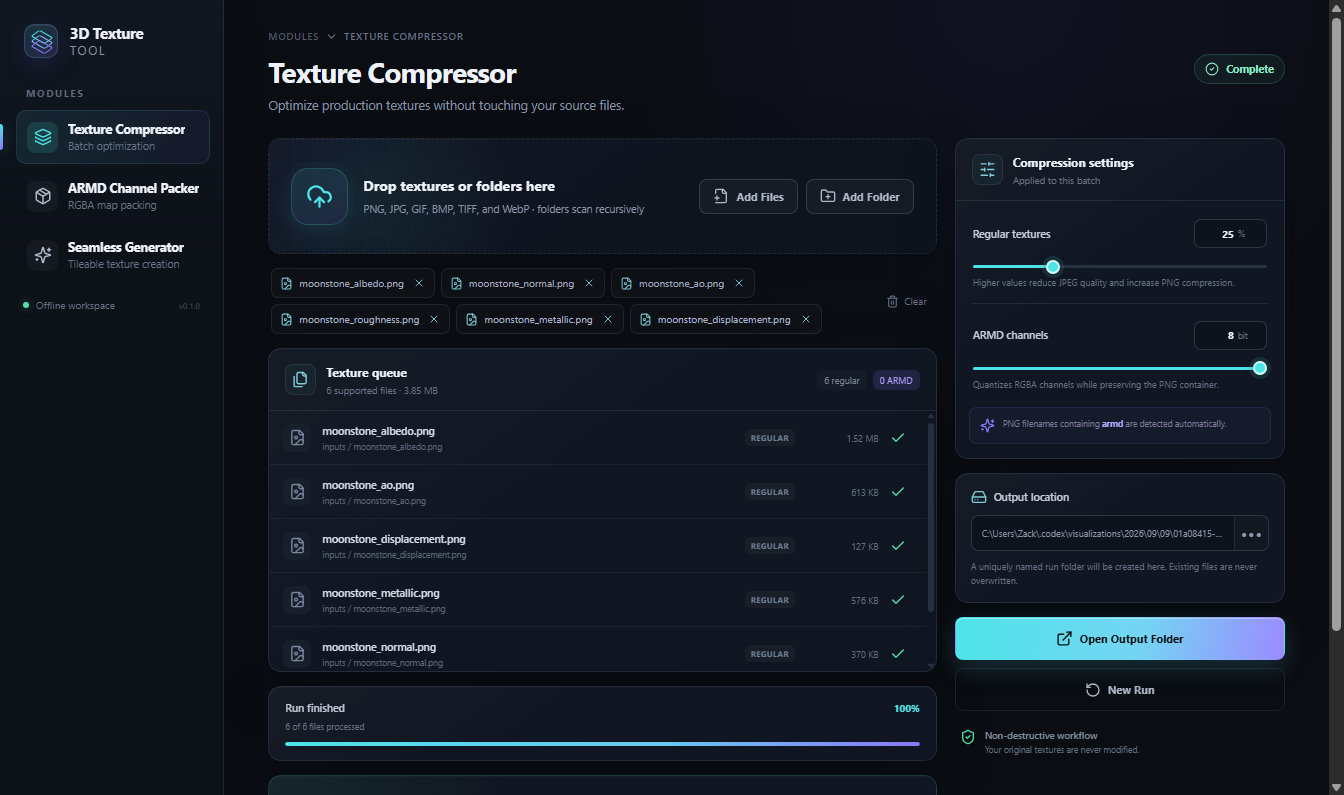
The active filename, percentage, completed count, per-file failures, input and output size, saved space, and elapsed time remain visible during and after a run. Cancellation stops at a safe boundary, and the compressor never modifies the original textures.
ARMD channel packing
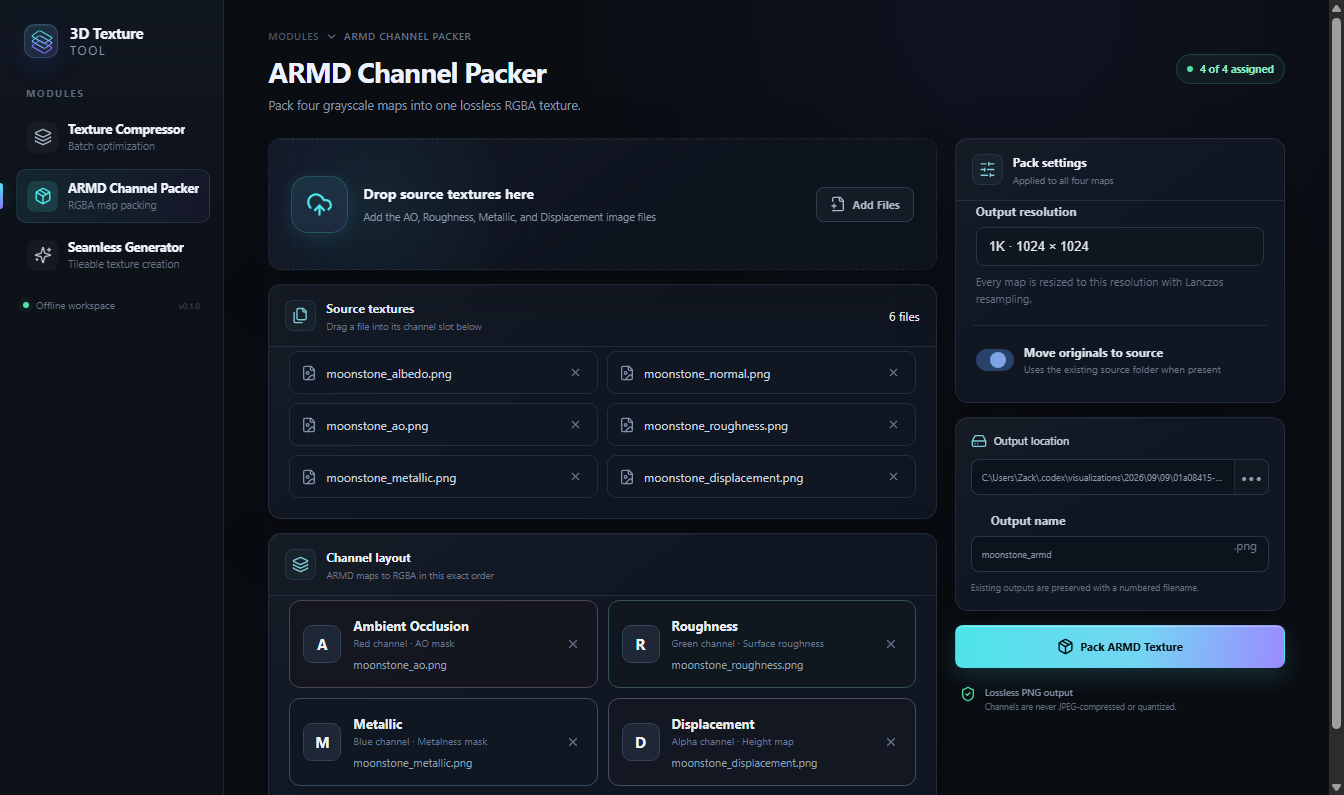
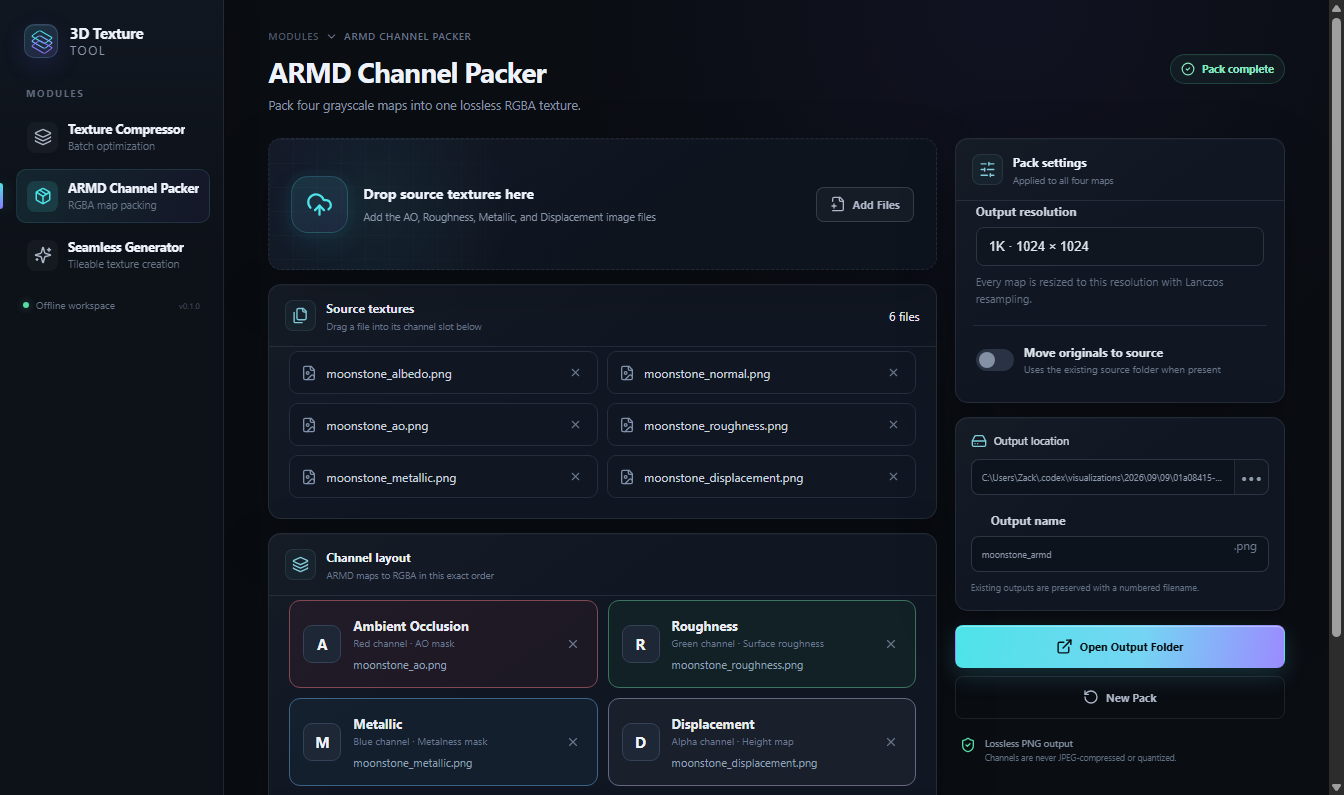
The ARMD packer combines up to four grayscale maps into one lossless RGBA PNG: ambient occlusion in red, roughness in green, metallic in blue, and displacement in alpha. Added files appear in a pool and can be dragged into the four labeled channel slots. Empty slots use stated fallback values, so a partial material can still be packed deliberately.
Outputs can be set to a square 1K, 2K, 4K, or 8K resolution, with every supplied map resized to that size using Lanczos resampling. The generated name can be edited, and an existing output is preserved by choosing a numbered filename rather than overwriting it.
The optional setting to move inputs into a source folder is convenient for reorganizing a finished pack, but it is less transactional than seamless export. It can be turned off when the source files need to remain exactly where they are. ARMD output is always square, so non-square inputs are resampled rather than retaining their original aspect ratio.
Verified exports and visible failure states
Seamless export requires a current full-resolution result for every loaded texture. Each processed file is written and verified before its original is moved into a reusable source folder. Export and move results are tracked separately, so a source that cannot be moved remains in place without discarding the completed output. Existing files are never silently overwritten.
The desktop interface also guards longer operations. Controls that would invalidate active work are disabled, module navigation is locked during seamless export, and closing the application during compression or export presents a choice to keep working or cancel at a safe file boundary. Progress, completion summaries, and errors remain attached to the module that produced them.
Local desktop boundary
The renderer cannot read arbitrary files or call the Python worker directly. File paths and requests pass through validated Electron handlers, while temporary seamless assets are kept in an application-owned cache and exposed to the renderer through short-lived tokens. The program does not need a web account or remote processing endpoint.
This is a desktop interface rather than a responsive mobile application. It adapts its columns and preview height within the supported Electron window, which has a minimum size of 1040 by 700 pixels. Labeled native controls, visible focus treatment, semantic status text, and keyboard-selectable seamless rows cover much of the main workflow, but ARMD channel assignment currently depends on drag and drop. The application also has no dedicated keyboard shortcuts.
Current workflow limits
Sessions, input lists, per-texture overrides, and reusable presets are not saved between launches. The compressor remembers its basic settings and last output location, but the three modules do not provide a saved project format. Seamless classification is heuristic, results still need visual review, and CPU-only processing can take time with high-resolution batches.
The current source branch contains the latest seamless-generator work, but the existing packaged installer should not be presented as containing those changes until it is rebuilt and tested from that branch. The Windows package is not code-signed and there is no automatic updater.